







'/%3E%3Cpath%20fill='%23b2b2b2'%20d='M241%20382q0%2016%2017%2026%2017%2011%2042%2011t42-11q16-11%2017-26V269H241'/%3E%3Cpath%20fill='%239f7e00'%20d='M241%20379q0%2014%208%2023%209%209%2021%209%2014%200%2021-9%209-9%209-23V269h-59'/%3E%3Cpath%20d='M241%20339v-70h59v110q0%2014-9%2023l-6%205v-68h-15v72q-8%200-14-4v-68zm59%2040c0%2022%2015%2032%2029%2032%2021%200%2030-18%2030-32v-40h-59'/%3E%3Cpath%20fill='%239f7e00'%20d='M266%20277v5h2v12h-3v-5h2v-5h-9v5h2v5h-4v9h3v18h-5v10h34v-10h-5v-18h3v-9h-4v-5h2v-5h-9v5h2v5h-3v-12h2v-5zm42%20101q0%2010%206%2017%206%206%2015%207%2010-1%2016-7%206-7%206-17v-29h-43'/%3E%3Ccircle%20fill='%230044ad'%20cx='329.5'%20cy='372'%20r='6'/%3E%3Cellipse%20fill='%230044ad'%20cx='300'%20cy='340'%20rx='16'%20ry='21'/%3E%3C/svg%3E)


CRM in iGaming: How One Player Record Supports Segmentation and Retention
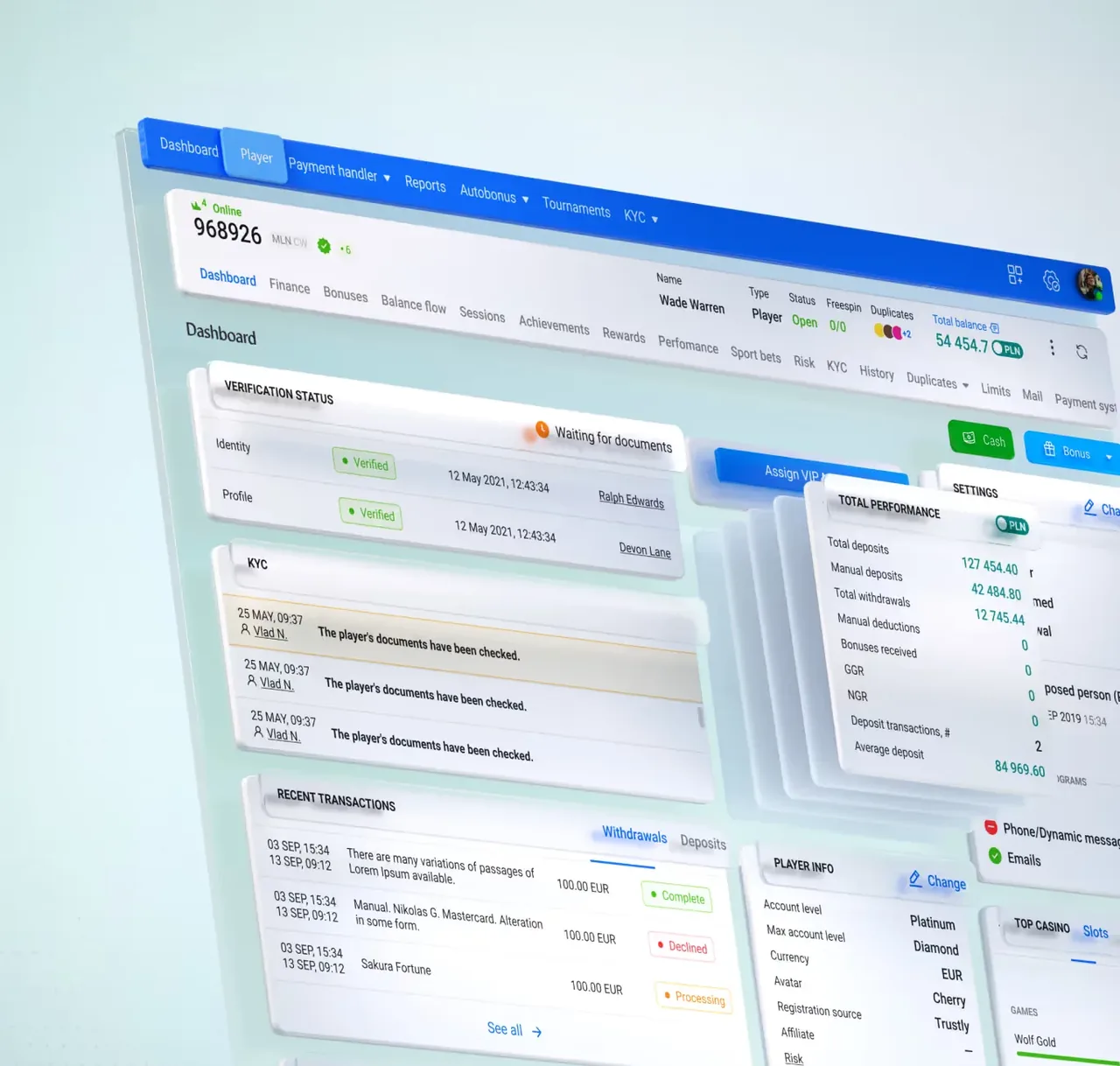
On the Soft2Bet platform, a CRM is the layer where an operator keeps what it knows about its audience in one place. Registrations, session logs, reward history, and preference settings all reach the same record, and each new reading is weighed against earlier ones. Each visit can produce many signals, including the games opened, the hour of login, and the length of the session. Combined, these readings give a current picture of every player, showing which products they prefer and how their activity is changing.
Identity, Activity and the Player Record Inside a CRM
A CRM stores what each session produces before any other part of the setup reads it. Identity details, session logs, reward history, support contacts, and preference settings flow into one structured record, where readings that would stay fragmented across separate tools come together into a single account of the person behind the play. That combined profile sits at the center of the setup. When a specialist opens an account, its full history appears in one view, including when the player joined, how their activity has changed, the rewards they claimed, and the notes from each support contact.
Organizing information this way clears the blind spots that show up when data lives in disconnected tools, and it keeps every reading raised in one part of the operation visible everywhere it matters, so a note added at sign-up still reaches whoever handles the account much later.
Recency, Frequency and the CRM Segments Built From Behavior

A CRM makes segmentation practical by sorting accounts into groups according to how active they are, what they prefer, and the direction their behavior is taking. Some players return every day and move across a wide range of products, while others visit rarely and stay with a single game.
Recency of play, return frequency, and which products it favors can each mark out a group alone or in combination. Reading those patterns lets an operator build segments from recorded behavior, and the same reading surfaces the accounts worth a closer look, such as one whose activity shifts sharply within a few days. Each group updates as the behavior of its accounts changes. A player who stops returning every day leaves the daily group and joins the accounts that return less often, so the overall picture stays current.
One Record for Every Player
Content, Timing and the Channels That Carry Each Message
Segments allow each message to match the account that receives it. A CRM stores what each group responds to, so the content, timing, and channel of a message can follow the recorded preference in place of a single template sent to everyone. Coordination also extends across channels, so email, SMS, push notifications, and on-site prompts follow one sequence for each account.
As the record grows, the preferences it holds become more reliable, so choices depend less on early estimates and more on what the account has done. Settings the player chooses sit alongside what the system learns from past sessions. When a player turns off one channel, the sequence continues on those still enabled. Language and time zone are stored as well, so each message arrives in the right language at a suitable local hour. The same record guides what to send and when to pause contact, so message frequency follows each account’s activity.
Scenarios, Triggers and the Work a CRM Runs on Its Own
Much of a CRM’s work runs automatically, before a specialist opens an account. Operators set up interaction scenarios in advance, defining what should happen once certain conditions are met, so that when an account crosses a set threshold, reaches a milestone, or falls quiet after a run of regular activity, the system acts on its own. These rules cover the stages an account passes through, from a welcome at sign-up to a follow-up after a first deposit and a check-in once activity slows. Messages built this way stay timely without constant manual effort behind them, and a note that greets a returning player, a reminder tied to a favorite product, or a prompt after a pause can each go out at the moment it fits.
One account can meet the conditions of two scenarios at the same time, and priority rules settle which one sends while the rest wait for their turn or drop out. A player who returns after a pause and reaches a milestone on the same day triggers two scenarios but receives one message. Automation covers the repetitive part of this work, and specialists handle the cases that call for judgment, such as an account whose pattern matches no scenario or one where the correct response depends on history that a rule cannot read.
Sessions, Signals and the Early Window for Player Retention
Each active account follows its own rhythm of play, and a CRM records it from one session to the next. Knowing that rhythm keeps contact relevant without making it too frequent. The system tracks how often each account returns and what happens once it is back. Each sign is read against that player’s usual pattern, so a short pause is flagged for an account that logs in daily but not for one that visits weekly. Catching those changes gives an operator the chance to respond while the account is still returning.
Indicators, Results and the Reasoning Recorded Behind Each Setting
A CRM tracks figures such as retention rates, session frequency, and the performance of individual scenarios, giving operators a factual basis for their choices. For each scenario, the record shows which segment responded, how many players did, over what period, and whether the pattern continued afterward. To confirm what caused a response, operators can test one version of a message against another or hold back a small comparison group that receives no contact. These results show which scenarios perform well and which need adjustment, so each can be kept, dropped, or changed before the next cycle begins. The same results also show whether a scenario starts at the right moment, so a threshold that triggers it too often or too rarely can be refined. Each of these changes is recorded with the data that led to it, so a specialist reviewing the setup months later can see the reasoning behind every current setting.
Integrations, Modules and the Data a Connected CRM Shares

A CRM works alongside the rest of an operator’s tools. Its closest link is to the platform itself, where it reads session activity as it happens. Open connections also let it exchange information with messaging providers and reporting tools. Data imported from an earlier system joins each player’s profile, so past sessions stay in view. A link to the support desk brings the same profile to the specialist handling each contact, so guidance stays consistent with what came before. The CRM and these connections run as separate modules that stay in sync by sharing data, so a change recorded in one appears everywhere it belongs. Because the setup is modular, an operator can update or expand any single feature without rebuilding the rest. The same structure carries across brands and markets, so one configuration can serve several sites while each keeps its own records.
Scale, Growth and the Role of the Record Across an Operation
For any operator working at scale, a CRM is a core part of how the business functions. It keeps every reading the operation has recorded, sorts constant activity into a form a person can read, and lets a small team work a very large audience one account at a time. Between the routine cases it handles on its own and the harder ones it passes to a person with the full history in front of them, a CRM keeps a large operation organized and consistent. Modern CRM solutions carry that idea further, joining once-separate functions into a single view and letting operators act on what it shows without delay.
That single, shared record improves how daily work is organized, since every case opens with the information it needs. Communication becomes more effective when each message follows recorded preferences, and the operator gains a clearer sense of what players need. The same record supports growth, because the operation can widen its audience while every account is still handled one at a time.